
Kimi AI Features: What Moonshot AI’s Kimi Can Actually Do
Kimi is the AI assistant built by Moonshot AI, a Beijing company founded in March 2023 by Yang Zhilin, Zhou Xinyu, and Wu Yuxin. Its signature strength — try kimi ai for yourself — is long-context understanding: since March 2024 it can take up to 2 million Chinese characters in a single prompt, a scale confirmed on the Moonshot AI Wikipedia entry.
This guide breaks down Kimi’s core features — long context, coding, agentic tool use, writing, and multilingual support — using only confirmed facts. Anything not independently verified below is flagged so you can check it yourself before relying on it.
This is an unofficial site, not affiliated with Moonshot AI. For the official product visit kimi.com.
Kimi AI Features at a Glance
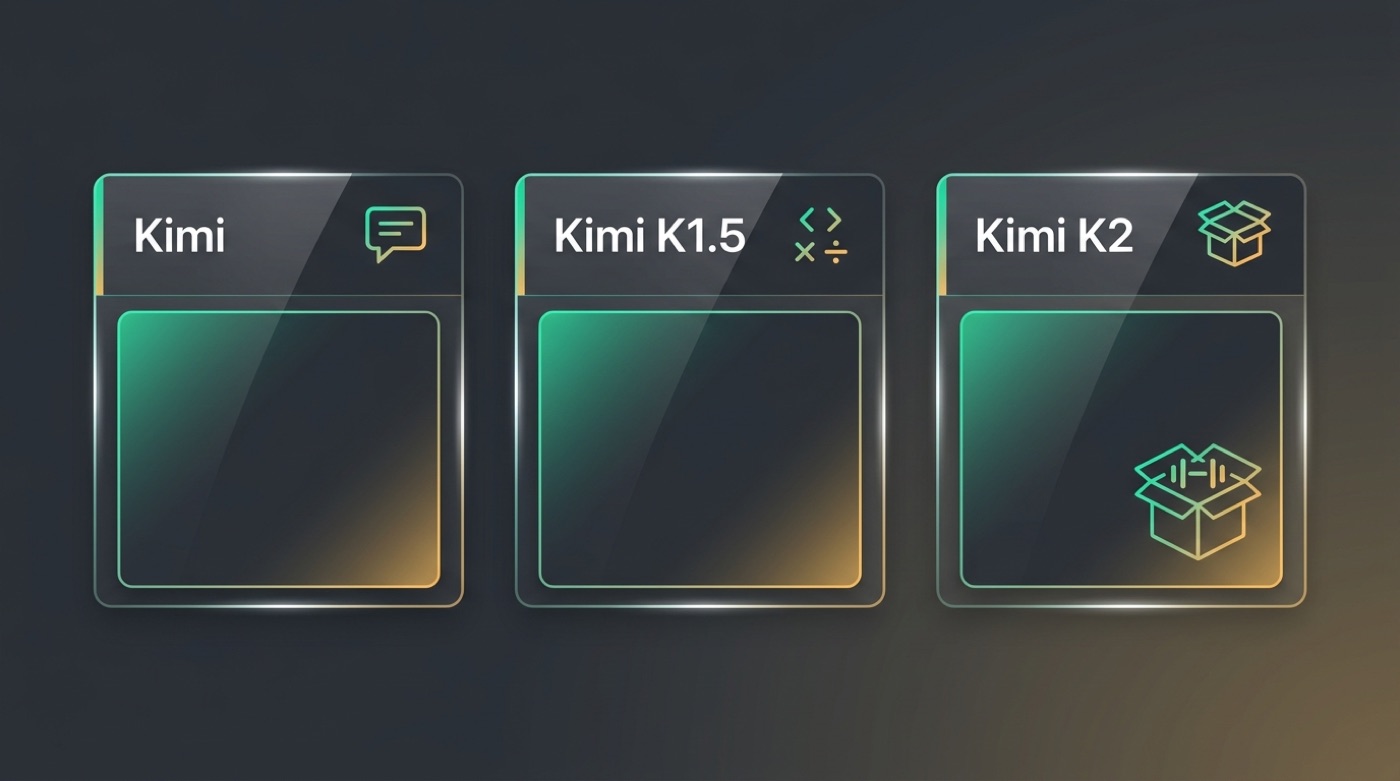
Kimi AI features span five areas: a long context window, coding and reasoning models, agentic tool use, writing support, and open weights for developers. Moonshot AI has shipped this capability set in stages — starting with the original Kimi chatbot in October 2023 and expanding through the Kimi K1.5 and Kimi K2 model releases.

The table below summarizes what each feature does and where to confirm the current state, since specific numbers can shift between product updates.
Overview table
| Feature | What it does | Notes |
|---|---|---|
| Long context | Up to 2,000,000 Chinese characters in a single prompt (since March 2024) | Signature capability; verify on the official page |
| Coding & reasoning | Kimi K1.5, claimed to match OpenAI o1 on math, coding, and multimodal reasoning | Specific benchmark scores — verify on the official page |
| Agentic tool use | Calling tools, multi-step task execution | Availability depends on product/version — verify on the official page |
| Writing | Drafting, summarizing, rewriting, Q&A | General-purpose writing support |
| Multilingual | Chinese-first, plus English and other languages | Exact language coverage — verify on the official page |
| Open weights | Kimi K2 released with open weights | Available on Hugging Face and GitHub |
Long-Context Understanding — Kimi’s Signature Feature
Long context is the feature Kimi is best known for, and it’s what separates the assistant from many chat tools that struggle once a conversation or document gets long. Moonshot AI built this capability into Kimi from the start and then expanded it dramatically within its first year.
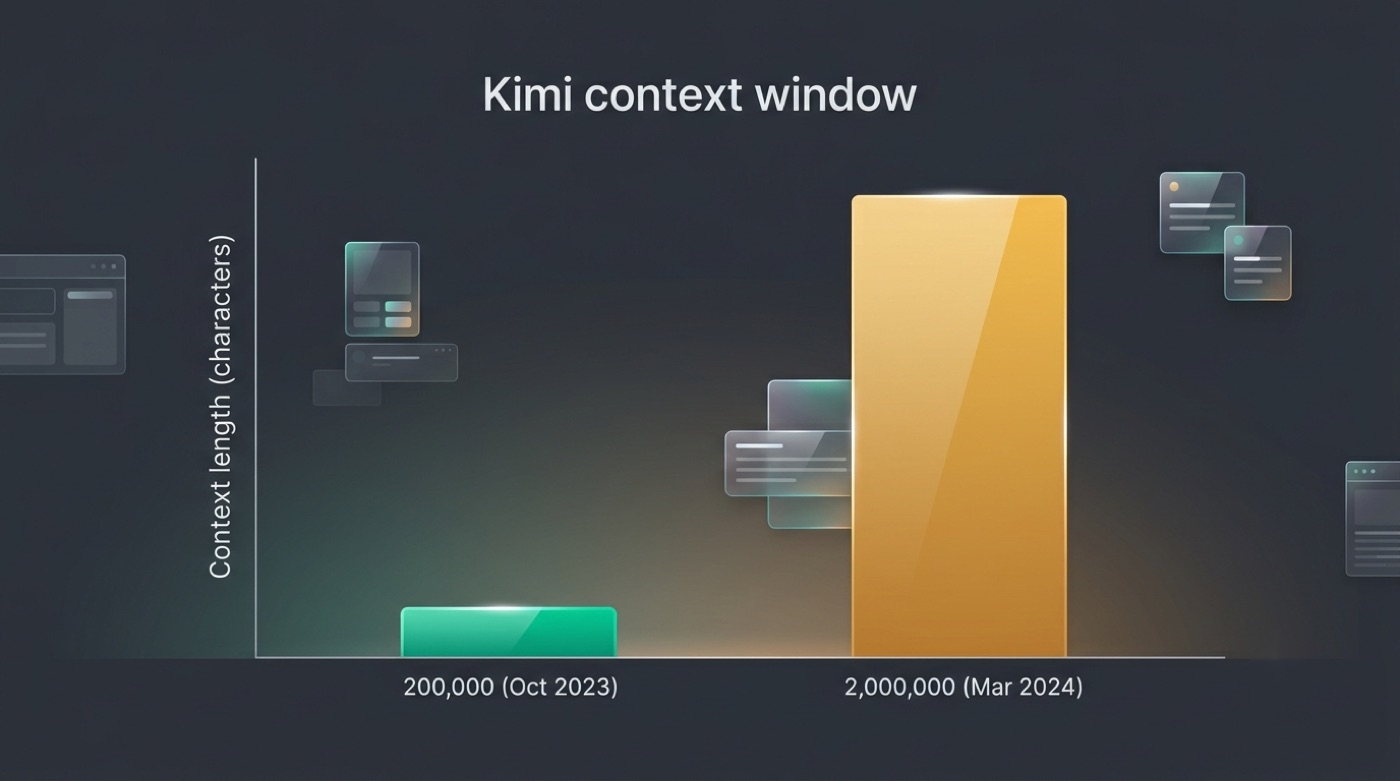
From 200K to 2M characters
Kimi launched in October 2023 handling up to 200,000 Chinese characters per conversation — already a large window compared to most chatbots available at the time. In March 2024, Moonshot AI upgraded it to 2 million Chinese characters in a single prompt, the capability it is best known for. This jump is documented on the company’s Wikipedia page, which traces Moonshot AI’s product history since its founding.
What long context is good for
A window this large changes what kinds of tasks are practical in a single conversation. Typical uses include:
- Reading and analyzing long PDFs or reports without splitting them into chunks
- Reviewing entire codebases in one pass instead of file by file
- Summarizing books, transcripts, or lengthy meeting notes
- Cross-referencing multiple documents for research
- Keeping a long, multi-turn conversation coherent without losing earlier context
Exact token or character limits vary by model and product version, so check the current figures on the official page before planning a workflow around a specific number.
Coding and Reasoning
Coding and reasoning is where Moonshot AI’s newer model releases — Kimi K1.5 and Kimi K2 — have pushed hardest. Both are built for tasks that go beyond casual chat, including math problems, software development, and multi-step reasoning.
Kimi K1.5 for math and code
Kimi K1.5, released January 20, 2025, is Moonshot AI’s reasoning model, claimed to match OpenAI o1 on math, coding, and multimodal reasoning tasks. That comparison comes from Moonshot AI itself at launch; any specific benchmark number attached to it should be verified on the official page rather than taken as a fixed, permanent figure.
Kimi K2 architecture
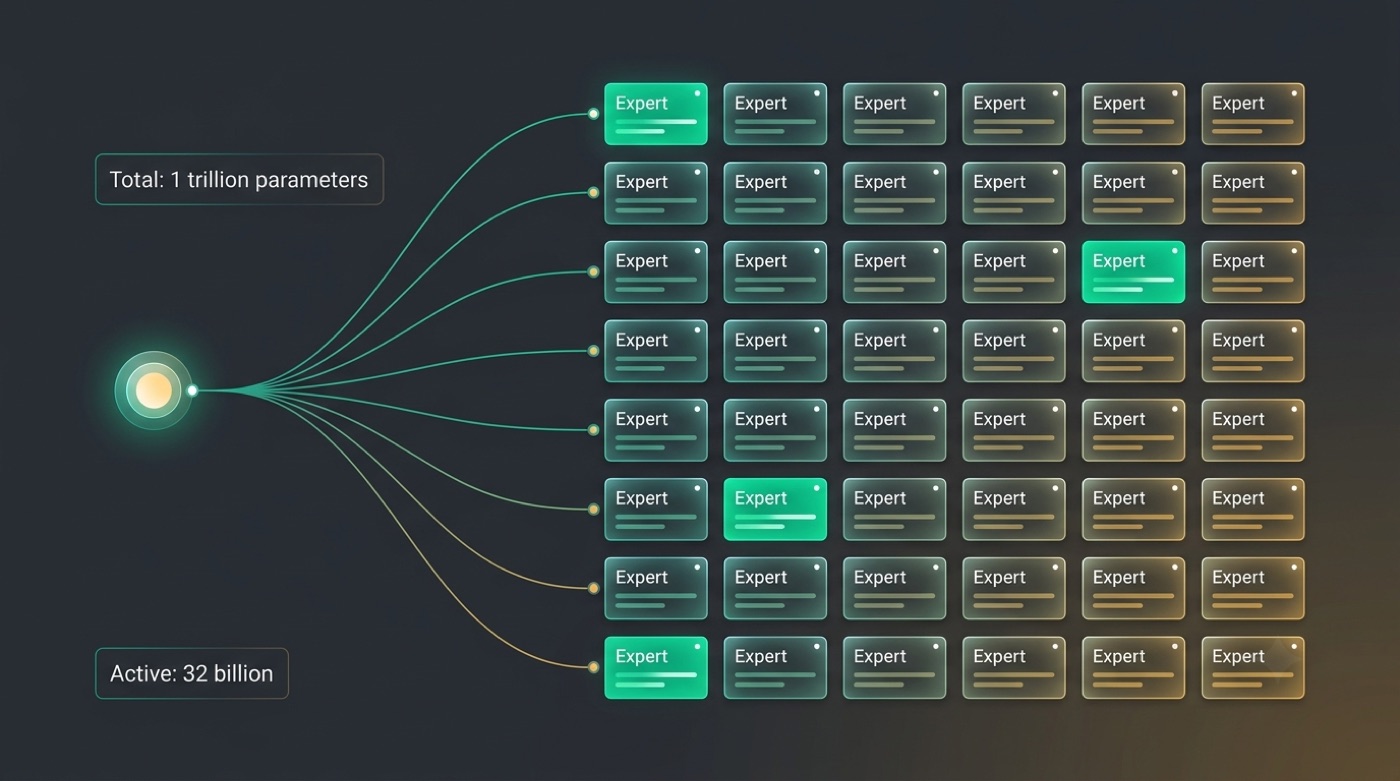
Kimi K2, an open-weight release from July 2025, uses a mixture-of-experts design: 1 trillion total parameters with 32 billion active during inference. For coding tasks specifically, this architecture has a few practical implications:
- Only a fraction of the total parameters activate per request, which is how the model keeps inference more efficient than a dense model of similar total size
- The large total parameter count gives the model a broad base of trained knowledge to draw from across programming languages and frameworks
- Being open-weight means developers can inspect, fine-tune, or self-host the model rather than relying solely on a hosted API
Avoid comparing these numbers to other vendors’ claimed benchmark scores unless you’ve checked both sides on their respective official pages — vendor-reported scores change often and aren’t always tested the same way.
Agentic Tool Use and Automation
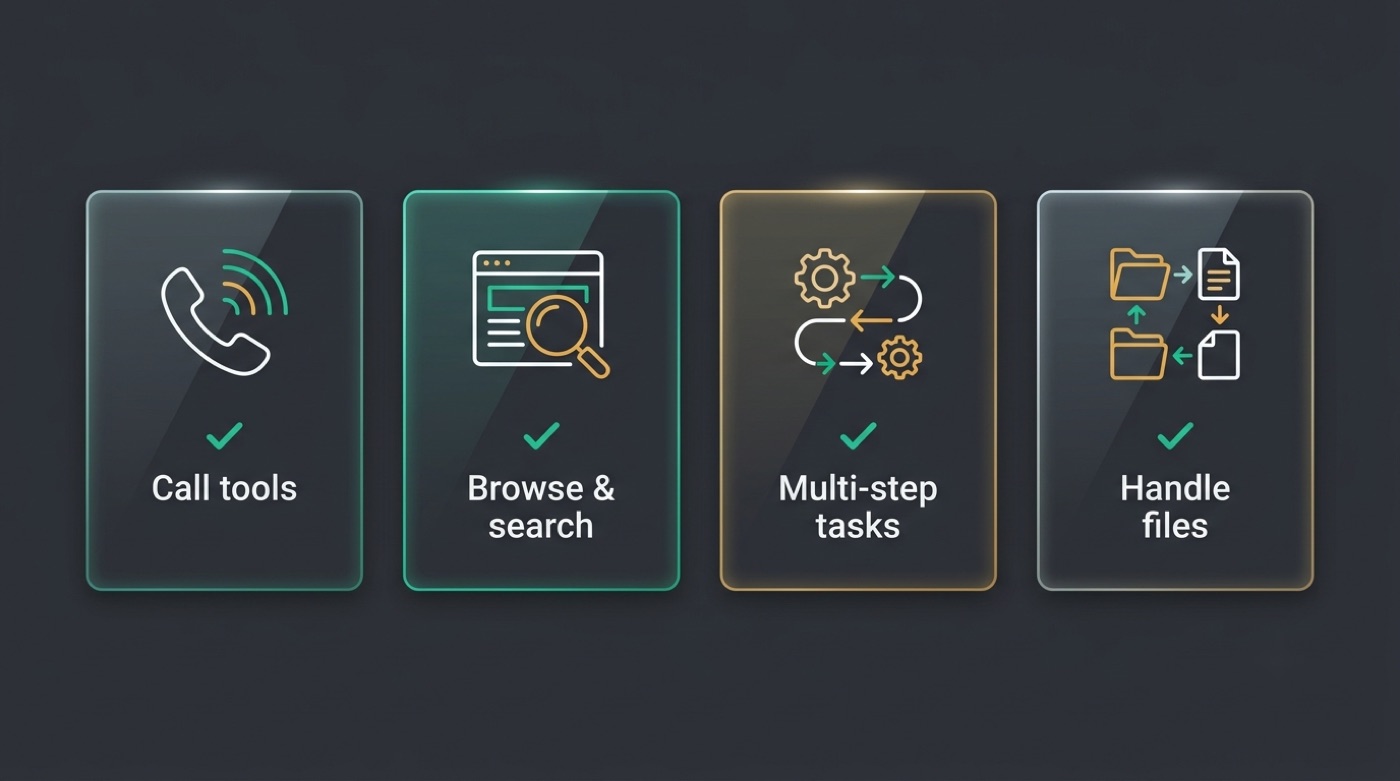
Agentic tool use refers to Kimi’s ability to act rather than just respond — calling external tools, executing multi-step tasks, and handling files as part of completing a request. This is a newer layer on top of the core chat and reasoning models, and Moonshot AI continues to develop it.
What agentic means here
In practice, agentic behavior in Kimi can include:
- Calling tools or functions to complete a sub-task instead of answering from text alone
- Browsing or searching where that capability is enabled in the product
- Breaking a request into multiple steps and executing them in sequence
- Handling files or documents as inputs and outputs within a task
Exact agent features depend on the specific Kimi product and version you’re using, so confirm what’s currently supported directly on kimi.com or via moonshot.ai before building a workflow around a particular capability.
Writing and Multilingual Support
Drafting and editing. Kimi handles general writing tasks: drafting new text, summarizing existing content, rewriting for tone or length, and answering open-ended questions. These are core chatbot functions rather than specialized add-ons, and they benefit from the same long-context window described above — a long draft or reference document can stay in the same conversation while Kimi edits it.
Languages. Kimi originated with strong Chinese-language handling, reflected in its character-based context limits (200,000 characters at launch, 2 million after the March 2024 upgrade). It also supports English and other languages for chat and writing tasks. Exact language coverage and quality across languages should be verified on the official page, since this is an area that tends to expand with each product update.
Multi-document workflows. Because writing and long context work together, Kimi can be used to draft content that references several source documents at once — useful for research summaries or reports that pull from more than one file in a single session.
Open Weights and How to Access Kimi
Open weights are a defining feature of the Kimi K2 release: unlike a model only available behind a hosted API, K2’s weights are published for developers to download, inspect, and run themselves. Moonshot AI distributes these through two established platforms.
Access routes
| Route | Where | Notes |
|---|---|---|
| Official chat | kimi.com / kimi.moonshot.cn | Free tier available; verify current terms |
| Open weights (K2 and others) | huggingface.co/moonshotai, github.com/MoonshotAI | Self-host or build on top of the model |
| This unofficial site | Free Kimi chat here | Not affiliated with Moonshot AI |
To get started with Kimi’s open weights on your own infrastructure, the general path looks like this:
- Visit huggingface.co/moonshotai or github.com/MoonshotAI to find the current Kimi K2 release
- Review the model card and license terms before downloading
- Check the hardware requirements — a 1-trillion-parameter mixture-of-experts model needs substantial infrastructure even with only 32 billion active parameters per inference
- Download the weights and set up the recommended inference framework listed on the repository
- Test the model on a small task before committing to a full deployment
- Compare output quality against the hosted kimi.com chat to confirm your setup is working as expected
- Verify licensing and usage terms on the official page before any commercial use
As Moonshot AI puts it in its own project documentation:
Kimi K2 is a state-of-the-art mixture-of-experts (MoE) language model with 32 billion activated parameters and 1 trillion total parameters.